

If you have recently moved to Rajasthan, applied for a government job, or simply tried to pay your electricity bill online, someone has probably told you that you need an SSO ID. What they may not have explained clearly is what the SSO Portal Rajasthan actually is, why it exists, and how to use it without confusion. This guide walks you through everything from scratch — what the system is, how to register correctly, what your dashboard means, and how to avoid the common mistakes that trip up new users.
What This Portal Actually Is
The Single Sign-On system is a centralized digital identity platform managed by the Department of Information Technology and Communication, under the Government of Rajasthan. Launched in 2013, the idea behind it was straightforward: instead of making citizens create a separate account for every government department they interact with, give them one login that works everywhere.
In practice, that means a single username and password grants you access to over 100 government services — from applying for competitive exams and downloading certificates to paying utility bills, accessing health schemes, and managing land records. The system records over 2.96 crore registered digital identities and has clocked more than 180 crore hits, which tells you just how deeply embedded it has become in the daily life of Rajasthan residents.
The Three Types of Users
Before you register, you need to know which category you belong to, because the registration path differs depending on who you are.
Citizens of Rajasthan make up the majority of users. If you are a resident accessing personal services like scholarships, pension status, caste certificates, or recruitment portals, you register as a Citizen. Government employees of the state have a separate registration track, using their SIPF number — the credential linked to the State Insurance and Provident Fund. This category unlocks additional internal tools like Raj Kaj, the state's digital system for managing leave applications, file movement, and annual performance appraisals. Business owners and operators in Rajasthan register under the Udyog category using a Business Registration Number or Udyog Aadhaar, which gives them access to commercial services including GST portals, tender applications, and business licensing.
Picking the wrong category is one of the most common mistakes new users make. A government employee who registers as a Citizen will not get access to employee-specific services. Take a moment to confirm your category before you start.
What You Need Before You Begin
Registration takes about five minutes, but only if you have the right documents ready. Citizens need a Jan Aadhaar card, which is Rajasthan's state-issued family identity document, and a mobile number that is actively linked to it. Alternatively, you can register using an Aadhaar number or a Google account, the latter being the most practical option for people from other states who live or work in Rajasthan but do not hold state-specific identity documents.
Government employees need their SIPF number and the corresponding SIPF password. Businesses need their BRN or Udyog Aadhaar number. Regardless of your category, an active mobile number is non-negotiable — the system relies on OTP-based verification at every critical step, and that same number becomes your recovery tool if you ever lose access to your account.
One important fact that many new users are not told upfront: registration is completely free. The government charges nothing to create an SSO ID. If you encounter any agent, kiosk operator, or third-party website asking for a payment to set up your account, that is a scam. Report it immediately.
Creating Your Account Step by Step
Open the official government portal for Single Sign-On, click the Register option on the homepage, and select your user category. Citizens choose the Citizen or Udyog tab; government employees select the Government Employee tab. After choosing your verification method — Jan Aadhaar for most citizens, SIPF for state employees — the system sends an OTP to your registered mobile number. Enter the OTP to confirm your identity, then set a username and a strong password. Your account becomes active immediately after this step.
A strong password here means something that combines uppercase and lowercase letters, at least one number, and a special character. The system is case-sensitive, so remember exactly how you typed it. Once registered, log in once and explore your profile section to add any additional details. Linking your Jan Aadhaar inside the profile settings after registration ensures that government benefit transfers and document auto-verification work seamlessly when you use linked services later.
Understanding Your Dashboard
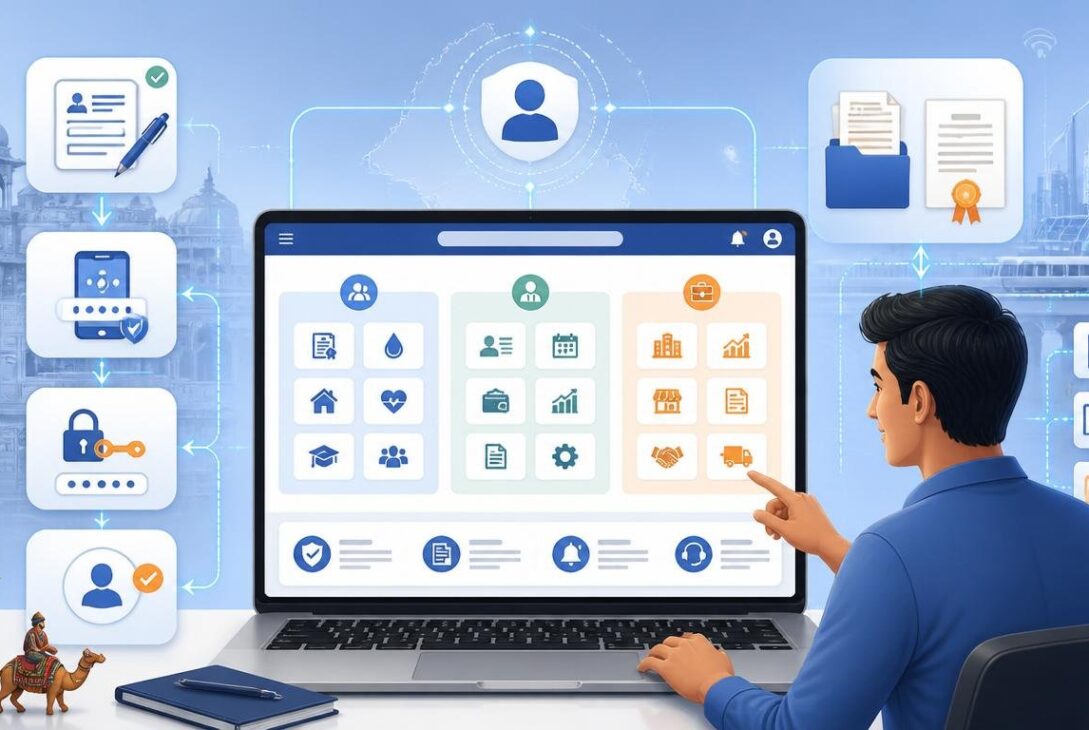
After logging in, you land on a dashboard organized into three service panels. G2C, which stands for Government to Citizen, contains the services most users come for — e-Mitra, the recruitment portal, scholarship applications, the Jan Aadhaar portal, social security pension through RajSSP, and the Chiranjeevi Yojana health scheme. G2B covers business services including GST login, drug licensing, building plan approvals, and startup-related portals. G2G is the panel for government employees, housing Raj Kaj, IFMS for treasury and salary management, and SIPF-related services.
Each icon on the dashboard opens its respective department portal directly, without prompting you to log in again. That is the entire point of a single sign-on architecture — authentication happens once, and then every connected service trusts that session. You simply click, and you are in.
Common Problems and How to Handle Them
Forgetting your password is the issue most new users encounter first. The Forgot Password option on the login page lets you reset using your registered mobile number or email. If you have forgotten the username itself, you can send an SMS reading "RJ SSO" to 9223166166 from your registered mobile number, and the system will send your SSO ID back to you.
If your OTP is not arriving, check your mobile network and confirm the number on your account matches your current active SIM. If the portal seems slow or unresponsive, this is usually a traffic issue — early morning before 9 AM or late evening after 9 PM tends to be significantly faster. For more persistent issues, there is a dedicated helpline available through the official SSO Portal Rajasthan at the number listed on the portal's help section.
Getting the Most Out of Your Account
New users often register, log in once for a specific task, and then forget the account exists until the next urgency arises. That is an underuse of a genuinely powerful tool. The same login that lets you apply for a government job also lets you check your electricity consumption history, track a pension application, file an RTI request, update your Aadhaar details through e-Mitra, and access real-time information from the Jan Soochna transparency portal.
The Raj SSO mobile app, available on both Android and iOS, makes this even more accessible. For users who primarily use smartphones rather than desktops, the app brings the full portal experience to a handheld device with push notifications for important government updates.
The SSO Portal Rajasthan is not just a convenience feature — it is the backbone of how digital governance functions in the state. Understanding it properly, using it regularly, and keeping your account secure is one of the most practical things any resident, employee, or business owner in Rajasthan can do.